No box required — but we support them too
Most customers in Dubai stream through an app on a device they already own. If you'd rather use a dedicated IPTV box or receiver, we'll help you pick and configure one.
Smart TV
Samsung, LG & Android TV
Install the IPTV app from your TV's app store, or sideload it in a couple of steps. No extra box required.
4K Ultra HD + FHD on Premium
Fire Stick / Fire TV
Amazon devices
The most popular option in Dubai — install via the Downloader app, then log in with your details.
Full HD standard, 4K on select Fire TV models
Android / MAG Box
Set-top boxes
Already own a box? Most Android and MAG boxes work directly with our app. We'll confirm compatibility on WhatsApp.
Best 4K performance on Premium
Phone & Tablet
iOS & Android
Watch on the go with our mobile app — same login, same channels, wherever you are in the UAE.
Full HD (1080p) optimized for mobile data
Laptop / PC
Web player
Stream directly through a browser-based player, ideal as a backup screen or for travel.
Full HD streaming
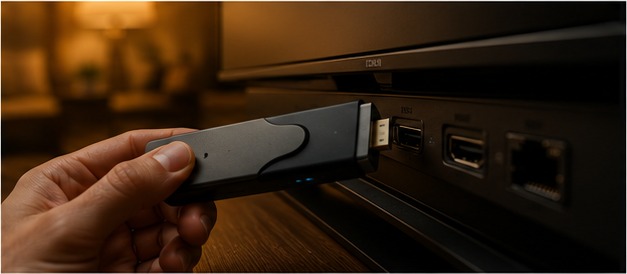 Close-up of a Fire Stick being set up with an IPTV app on a Dubai apartment TV
From sign-up to streaming in under 10 minutes
Step 1
Choose a plan
Pick Standard or Premium and how many devices you need connected.
Step 2
Get your login
Receive your app link and account details over WhatsApp within minutes.
Step 3
Install the app
We'll guide you through installing on your specific device, step by step.
Step 4
Start watching
Log in and your full channel list and EPG guide are ready immediately.
Bring your own IPTV box or receiver
If you already own an Android box, MAG receiver, or set-top box, there's a good chance it works with our service already. Send us the model on WhatsApp and we'll confirm compatibility and walk you through configuration — no need to buy new hardware. Premium-tier accounts on capable boxes can stream up to 4K Ultra HD + FHD; Standard-tier accounts stream at Full HD (1080p) on any device.
Not sure what to buy?
We don't sell boxes directly, but we're happy to recommend reliable, affordable hardware available in Dubai if you'd prefer a dedicated device over an app.
Ask for a RecommendationCommon setup questions
My Smart TV app store doesn't have the IPTV app — now what?
Some TV models need the app sideloaded via a companion app or USB. We'll walk you through whichever method matches your TV brand.
Can I switch devices mid-subscription?
Yes — message us on WhatsApp and we'll help you reinstall on a new device at no extra cost.
Do I need a fast internet connection for 4K?
We recommend at least 25 Mbps for stable 4K streaming on Premium. Standard HD streams comfortably on lower speeds.
How do I check if my Smart IPTV app is working correctly?
Open the app and confirm the EPG guide loads and a few channels across different categories play without buffering. If anything looks off, message support with your device model and we'll check server routing on our end.
Get set up today
Whatever device you're using, our team will walk you through setup for free once you subscribe.
View Pricing Plans