IPTV Box & Devices in Dubai: What to Buy and How to Set Up
Most people don’t need a special IPTV box — a Fire Stick, Android box or Smart TV app is enough. Here’s how each option compares, what specs to look for and how to get set up in minutes.
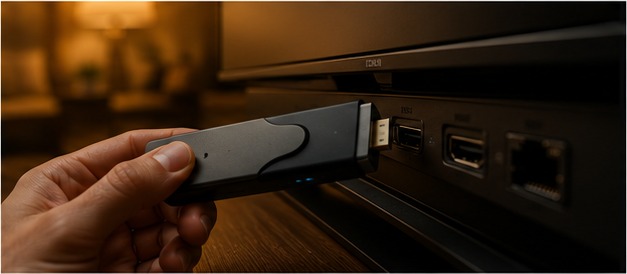
Devices that work with IPTV Dubai
Smart TV
Samsung, LG and Android TV models with a compatible IPTV player app. No extra hardware.
Amazon Fire Stick & Fire TV
Affordable, simple and the most popular choice in Dubai. 4K on 4K models.
Android & Google TV box
More RAM and storage plus Ethernet — ideal for a steady 4K big-screen picture.
MAG box
A dedicated IPTV set-top box with a simple, purpose-built interface.
iPhone, iPad & Android
Watch in any room using an IPTV player app on your phone or tablet.
Windows & Mac
Use a compatible player on your computer as a backup screen.
IPTV box vs Fire Stick vs Smart TV app
| Option | Best for | Max quality | Setup effort | Typical cost* |
|---|---|---|---|---|
| Smart TV app | No extra hardware | Depends on the TV | Low to medium | AED 0 if supported |
| Fire Stick / Fire TV | Most households | Up to 4K (4K models) | Low | About AED 200-350 |
| Android / Google TV box | Steady 4K on the big screen | 4K | Low | About AED 200-500 |
| MAG box | A dedicated IPTV device | HD or 4K by model | Medium | About AED 350-600 |
| Phone, tablet or PC | Watching around the home | HD | Low | AED 0 (existing device) |
*Rough market guide only. Prices vary by retailer, model and time of year — check current prices before you buy.
How to choose an IPTV box in Dubai
- 4K output with HDMI 2.0 or newer if you own a 4K TV. For a Full HD TV, a 1080p device is fine.
- At least 2 GB of RAM (4 GB is smoother) so the player and channel guide stay responsive.
- Wi-Fi 5/6 or an Ethernet port. A wired connection is the single best upgrade for a stable stream.
- A current operating system — Fire OS, Android TV or Google TV — that still receives updates.
- 16 GB of storage or more for apps and cache.
- Warranty and returns. Buy from a retailer or marketplace such as Amazon.ae or noon that lets you return a faulty unit.
IPTV Dubai doesn’t sell boxes; we focus on the subscription. If you’re unsure which device suits your TV, message our team and we’ll point you in the right direction.
Set up IPTV on your device in 4 steps
Get a plan
Choose Standard or Premium on the pricing page and check out.
Install a player
Install an IPTV player app such as IPTV Smarters Pro on your device.
Add your details
Enter the username, password and server URL from your activation message.
Start watching
Open Live TV, pick a category and use the EPG to find what’s on.
What internet speed do you need?
| What you’re streaming | Recommended speed |
|---|---|
| 1 HD stream | 8-10 Mbps |
| 1 4K stream | 25 Mbps |
| 2 HD + 1 4K streams | About 45 Mbps |
| 5 HD streams | About 50 Mbps |
Add the speeds together when several connections are in use. Test your speed at the TV, not next to the router.
IPTV box and device questions
Do I need an IPTV box to watch IPTV in Dubai?
No. A Smart TV with a compatible player app, a Fire Stick, an Android phone, an iPhone or a computer is enough. A dedicated box simply gives some households a more stable big-screen experience.
What is the best IPTV box in Dubai?
For most people, a 4K Fire Stick or an Android/Google TV box with at least 2 GB RAM, HDMI 2.0, and Wi-Fi 5/6 or an Ethernet port. Pick based on your TV and internet rather than brand names.
How much does an IPTV box cost in Dubai?
As a rough guide, streaming sticks and entry-level Android boxes are often around AED 200-350, while higher-spec Android or MAG boxes are around AED 350-600. Prices vary by retailer and model, so check current prices before you buy.
What is the difference between an IPTV box, receiver and set-top box?
In practice the terms describe the same thing: a small device that receives the stream over your internet connection and outputs it to your TV.
Fire Stick or Android box: which is better for IPTV?
Both work well. A Fire Stick is cheap and simple; an Android/Google TV box usually has more RAM, storage and Ethernet for the steadiest 4K picture.
Can I use my Smart TV?
Often yes. Search your TV’s app store for an IPTV player. If your model doesn’t offer one, plug in a Fire Stick or Android box instead.
Can I use more than one device?
Yes. Each subscription supports 1 to 5 simultaneous connections, so you can use several devices at once.
Not sure what to buy?
Tell us your TV model and internet speed and we’ll recommend the simplest option.